An array stores many values of the same type under one name. Instead of ten variables called nota1 to nota10, you declare one array and reach each value by its index. VisuAlg calls arrays vetor.
Declaring an array
var
   notas: vetor[1..10] de real
   nomes: vetor[1..5] de caractere
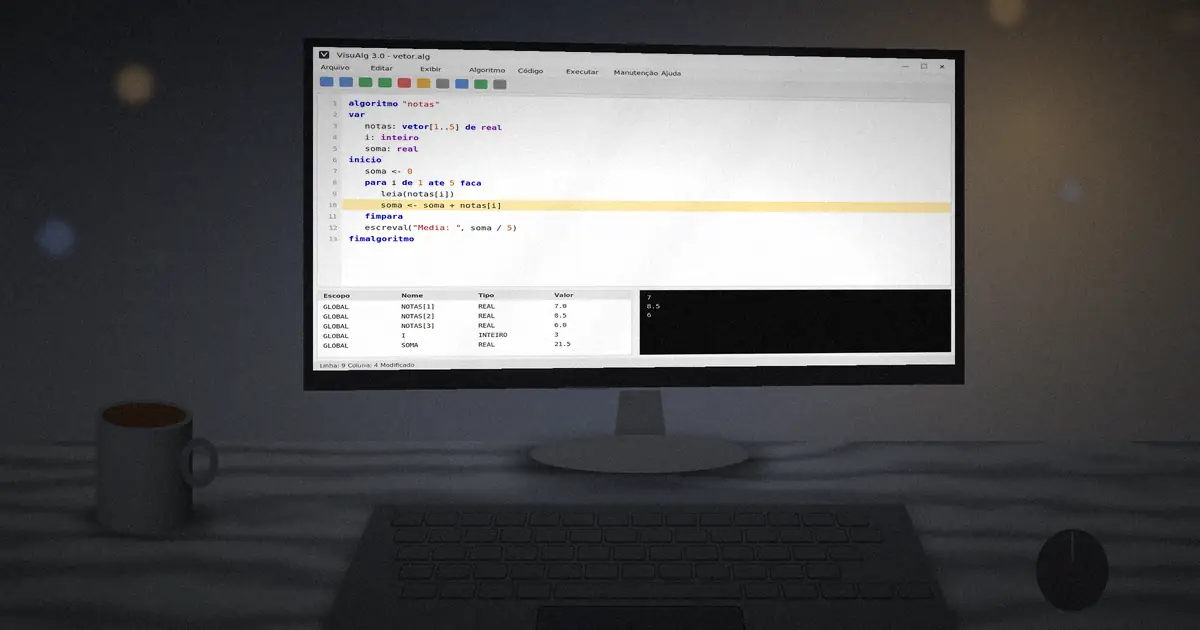
The range [1..10] sets the first and last index. Unlike many languages, VisuAlg arrays usually start at 1, which matches how people count.
Filling and reading with a loop
algoritmo "notas"
var
   notas: vetor[1..5] de real
   i: inteiro
   soma: real
inicio
   soma <- 0
   para i de 1 ate 5 faca
      escreva("Nota ", i, ": ")
      leia(notas[i])
      soma <- soma + notas[i]
   fimpara
   escreval("Media da turma: ", soma / 5 :5:2)
fimalgoritmo
Finding the largest value
maior <- notas[1]
para i de 2 ate 5 faca
   se notas[i] > maior entao
      maior <- notas[i]
   fimse
fimpara
Start with the first element as the current answer, then compare the rest. The same pattern finds the smallest value or the position of a value.
Matrices: two dimensions
var
   m: vetor[1..3, 1..3] de inteiro
   l, c: inteiro
inicio
   para l de 1 ate 3 faca
      para c de 1 ate 3 faca
         m[l, c] <- l * c
      fimpara
   fimpara
A matrix uses two indexes: row then column. Nested para loops visit every cell. Matrices are ideal for game boards, seating charts and multiplication tables.
Sorting with bubble sort
para i de 1 ate 4 faca
   para j de 1 ate 5 - i faca
      se v[j] > v[j + 1] entao
         aux <- v[j]
         v[j] <- v[j + 1]
         v[j + 1] <- aux
      fimse
   fimpara
fimpara
Bubble sort is slow on large data, but it is the classic first sorting algorithm and step-by-step mode lets you watch every swap.
Exercises
- Read ten numbers and print them in reverse order.
- Count how many values in an array are above the average.
- Fill a 4x4 matrix and print the sum of the main diagonal.
As programs grow, split them into reusable parts with functions and procedures.